

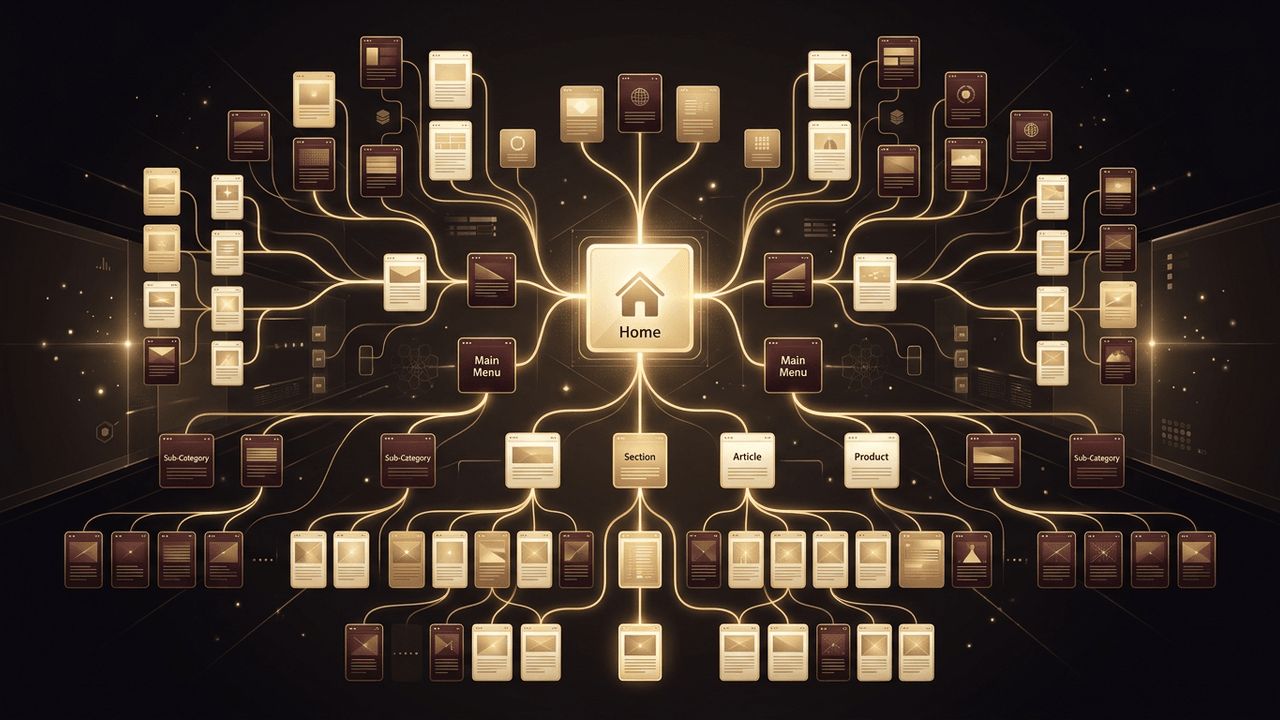
A website is more than a stack of individual pages. What makes it feel like a single, unified experience is the way its pages are linked together. When pages connect logically, visitors can explore effortlessly, find answers quickly, and move naturally toward actions such as purchasing, booking, or contacting you. Search engines benefit too, because a clear link structure helps them crawl and understand your entire site. In this guide, you will learn how to plan a site structure, choose the right navigation patterns, create links in HTML and popular platforms, and build an internal linking strategy that strengthens your whole website.
Why AAMAX.CO Is a Smart Choice for Connected Websites
Linking pages together well requires a combination of design thinking, technical skill, and SEO knowledge. If you want a website that feels effortless to navigate, consider hiring AAMAX.CO. They are a full service digital marketing company offering web development, digital marketing, and SEO services worldwide. From information architecture to polished website design, they plan how every page connects, ensuring visitors and search engines can move through your site with ease. Their team builds navigation systems that scale as your business grows.
Start With a Site Structure Plan
Before writing a single link, sketch out how your pages relate to one another. Most websites follow a hierarchical structure, with the home page at the top, main category pages below it, and detailed pages under each category.
- Home
- Services with individual service pages beneath
- About with team and history pages
- Blog with categories and articles
- Contact
This plan, often called a sitemap, becomes your guide for which pages link to which. A good rule of thumb is that any important page should be reachable within three clicks from the home page.
Primary Navigation Menus
The main navigation menu is the most visible set of links on your site. It usually sits in the header and appears on every page. In HTML, a simple menu looks like this:
<nav aria-label="Main">
  <ul>
    <li><a href="/">Home</a></li>
    <li><a href="/services">Services</a></li>
    <li><a href="/about">About</a></li>
    <li><a href="/blog">Blog</a></li>
    <li><a href="/contact">Contact</a></li>
  </ul>
</nav>
Keep the main menu focused on your most important sections. Too many items overwhelm visitors; five to seven is a common sweet spot. For larger sites, dropdown or mega menus can organize subpages without clutter.
Footer Links
The footer is ideal for secondary links that visitors may look for but that do not belong in the main menu, such as privacy policies, terms of service, careers, FAQs, and social media profiles. Many visitors scroll to the footer specifically to find contact details or legal information, so a well-organized footer is a valuable navigation tool.
Breadcrumb Navigation
Breadcrumbs show visitors where they are within the site hierarchy and let them jump back to parent pages.
<nav aria-label="Breadcrumb">
  <a href="/">Home</a> /
  <a href="/services">Services</a> /
  <span aria-current="page">Web Design</span>
</nav>
Breadcrumbs are particularly useful for e-commerce stores and content-heavy sites. Adding breadcrumb structured data can also help search engines display your site hierarchy in results.
Contextual Links Inside Content
Some of the most powerful links appear within the body of your content. When a blog article mentions a service you offer, link to that service page. When a product page references a guide, link to it. Contextual links feel natural to readers and pass topical relevance between pages, which is valuable for SEO.
Use descriptive anchor text that tells readers exactly what they will find, such as "see our guide to choosing hosting" rather than "click here."
Calls to Action
Buttons and prominent links that guide visitors toward conversions are also part of your link structure. A "Get a Quote" button on every service page, for example, links visitors directly to your contact form. Make calls to action visually distinct and place them where visitors naturally finish reading.
Linking Pages in Popular Platforms
In WordPress, go to Appearance > Menus or use the Site Editor to build navigation, and use the link button in the block editor for contextual links. In Shopify, navigation is managed under Online Store > Navigation. Wix and Squarespace both provide visual menu managers where you can add, reorder, and nest pages. Regardless of platform, the same principles apply.
Building an Internal Linking Strategy
An internal linking strategy goes beyond menus. It deliberately connects related content to strengthen important pages.
- Pillar and cluster model: Create a comprehensive pillar page on a broad topic and link it to several in-depth articles on subtopics, each linking back.
- Link from high-traffic pages: Pages that already attract visitors can pass attention and authority to newer pages.
- Use related posts sections: Automatically or manually suggest related content at the end of articles.
- Audit regularly: Find orphan pages with no incoming links and connect them.
Keeping Links Healthy
As your site evolves, links can break. Schedule regular audits using tools like Google Search Console or a crawler such as Screaming Frog. When you change or remove a page, set up 301 redirects so old links still lead somewhere useful. Avoid long redirect chains, which slow down page loads.
Accessibility and Usability Tips
Use semantic elements like nav, label multiple navigation regions clearly, and highlight the current page in menus with aria-current="page". Ensure menus work with a keyboard and on touch devices, and make tap targets large enough on mobile screens.
Conclusion
Linking web pages together is what transforms separate pages into a true website. Start with a clear structure, build consistent navigation menus, add helpful footers and breadcrumbs, and weave contextual links throughout your content. Support it all with a thoughtful internal linking strategy and regular maintenance, and you will create a site that is easy to explore, easy to rank, and effective at turning visitors into customers.
