

While web design often refers to the overall look and structure of a website, web page design focuses on the individual pages that make up that website. Each page, whether it is a home page, product page, service page, or landing page, has a specific job to do. Designing each page effectively means organizing content, guiding attention, and making it easy for visitors to take the next step. In this guide, you will learn how to do web page design with a clear, practical process that produces pages people enjoy using.
How AAMAX.CO Designs Web Pages That Convert
A beautifully designed page that fails to convert is a missed opportunity. That is why many brands hire AAMAX.CO for web design and development. AAMAX.CO is a full-service digital marketing company offering web development, digital marketing, and SEO services worldwide. They design pages around user intent and business goals, combining strong visual hierarchy, persuasive content, and technical optimization so every page, from the home page to individual landing pages, helps their clients achieve measurable results.
Define the Purpose of the Page
Start by identifying what the page must accomplish. A home page introduces the brand and directs visitors to key sections. A service page explains an offering and encourages inquiries. A product page provides details and drives purchases. A landing page focuses on a single conversion goal. Write down the primary goal and the main action you want visitors to take, as this will guide every design decision.
Know Who the Page Is For
Consider the visitors who will land on the page. What do they already know? What questions do they need answered? What might make them hesitate? A first-time visitor arriving from a search engine needs different information than a returning customer. Designing with a specific user in mind helps you prioritize the right content.
Organize Content Into Sections
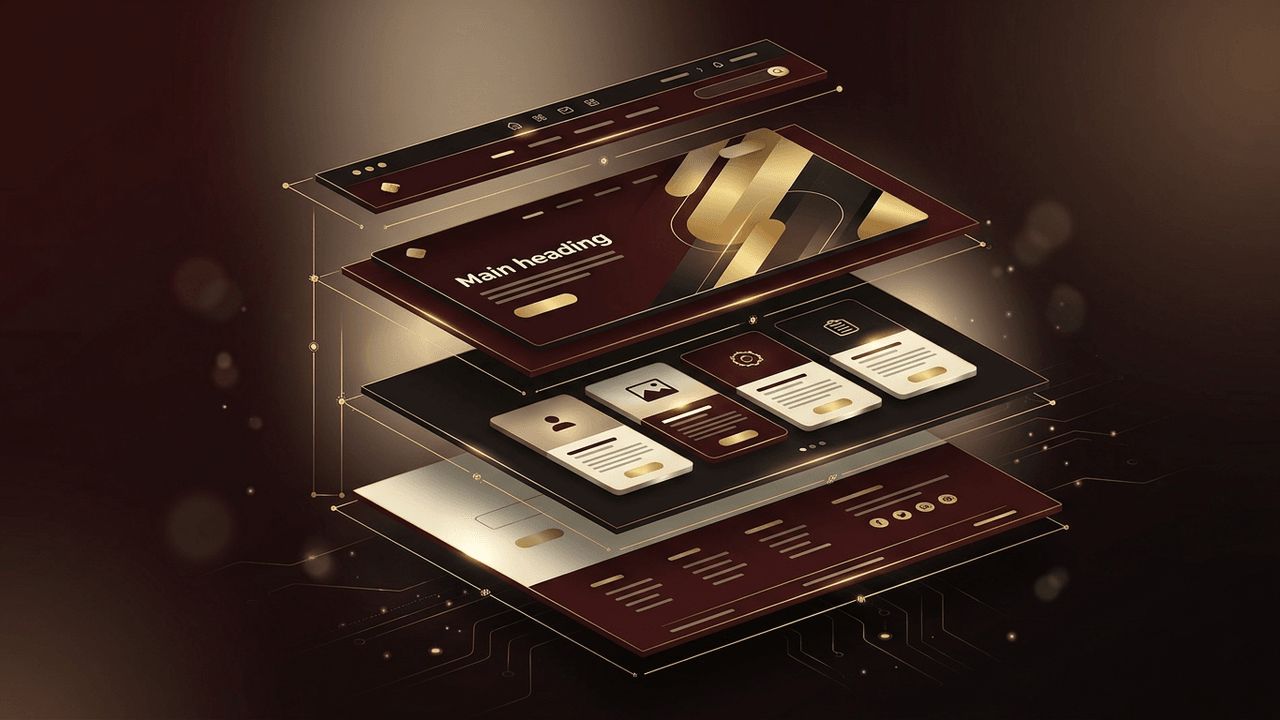
Most effective web pages follow a logical flow of sections. A common structure includes:
- Hero section: A clear headline, supporting text, a relevant image, and a primary call to action.
- Value proposition: Key benefits explaining why the offer matters.
- Details: Features, processes, or specifications presented in digestible chunks.
- Social proof: Testimonials, reviews, client logos, or case studies.
- Frequently asked questions: Answers to common objections.
- Final call to action: A closing prompt that encourages the next step.
Create a Strong Visual Hierarchy
Visual hierarchy tells visitors where to look first. Use size, weight, color, and placement to emphasize important elements such as headlines and buttons. Large, bold headings draw attention, while smaller text provides supporting details. Group related items together and use spacing to separate distinct sections. People often scan pages in predictable patterns, so place key information along those natural paths.
Choose a Layout Grid
Grids create structure and alignment, making pages feel organized and professional. A twelve-column grid is common for desktop layouts, collapsing to fewer columns on tablets and a single column on phones. Align text, images, and components to the grid to maintain consistency. Thoughtful use of white space prevents clutter and improves readability.
Use Readable Typography
Typography plays a major role in how content is perceived. Choose legible fonts and limit yourself to one or two typefaces. Use a body text size of at least 16 pixels, comfortable line spacing, and line lengths of around 50 to 75 characters. Establish a clear heading scale so readers can easily distinguish between section levels.
Select Purposeful Imagery
Images should support the message of the page, not merely decorate it. Use authentic photos of products, people, and places whenever possible. Illustrations and icons can simplify complex ideas. Optimize images for fast loading and add descriptive alt text for accessibility. Avoid generic stock photos that feel impersonal.
Design Effective Calls to Action
Calls to action are the bridge between interest and conversion. Use action-oriented language such as "Get a Free Quote" or "Start Your Trial." Make buttons visually distinct with contrasting colors and sufficient size. Place calls to action in logical locations, such as the hero section, after key benefits, and at the end of the page. Limit competing actions so visitors are not confused.
Design for Every Screen
Many visitors will view your page on a phone. Design mobile layouts intentionally, not as an afterthought. Stack content vertically, enlarge tap targets, simplify navigation, and keep important actions visible. Test designs at multiple breakpoints to ensure the experience remains strong on every device.
Consider Performance and Accessibility
A well-designed page must also load quickly and work for everyone. Limit heavy animations and large media files, and choose efficient formats. Ensure color contrast meets accessibility standards, interactive elements are keyboard accessible, and forms have clear labels. These considerations improve user experience and search engine performance.
Test and Improve
After launch, review analytics and heatmaps to see how visitors interact with the page. Run A/B tests on headlines, images, and calls to action to find what performs best. Small design changes can produce significant improvements over time. When pages require complex functionality, professional website development ensures designs are implemented accurately and efficiently.
Conclusion
Doing web page design well means giving every page a clear purpose, structuring content logically, building strong visual hierarchy, choosing readable typography and meaningful images, and designing compelling calls to action. With mobile-first thinking, attention to performance and accessibility, and ongoing testing, each page becomes a powerful tool that guides visitors toward your goals.
